How to Create Needs or Location Loadings for Contracts (ACT)

Overview
When setting up contracts in the ACT system, Needs or Location Loadings are used to make sure the funding matches the actual work being done. In simple terms, a "loading" is an extra amount of money added to a standard contract to cover additional costs. This ensures that if a project requires more resources because of where it’s happening or who it’s helping, those costs are covered from the very beginning.
The Location side of things focuses on where the service is delivered. Some areas are more expensive to reach or operate in than others, and these loadings help balance those books. The Needs side looks at the specific requirements of the people involved. If a person or a group needs extra support or specialized tools, a "needs loading" adds the necessary funds to the contract so that those requirements can be met without any financial strain.
By setting these up correctly, you ensure that the contract is fair and realistic. It moves away from a "one price for everyone" approach and instead creates a budget that actually fits the situation. This makes the whole process more transparent for everyone involved and ensures that the right amount of support is available exactly where it's needed most.

Step Tutorial
1. From the Dashboard, head to Finance, then Contracts, then Loadings. Click the New button.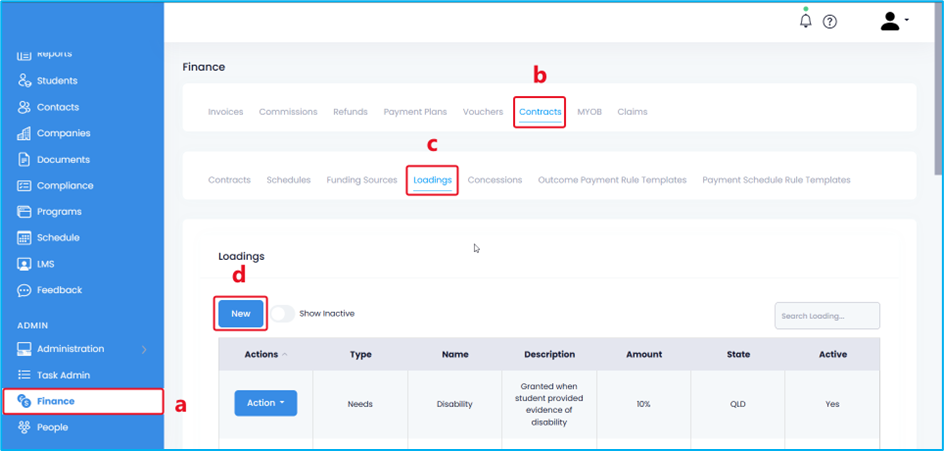
2. Enter the following details:
- Type – Select the type of loading from the drop-down field.
- Active – Toggle ON to activate.
- Name – Enter a name for your loading.
- Description – Enter a short description for your loading
- State – Select ACT.
- Amount – Enter the percentage or specific amount granted for this loading.
Once completed, click the Save button.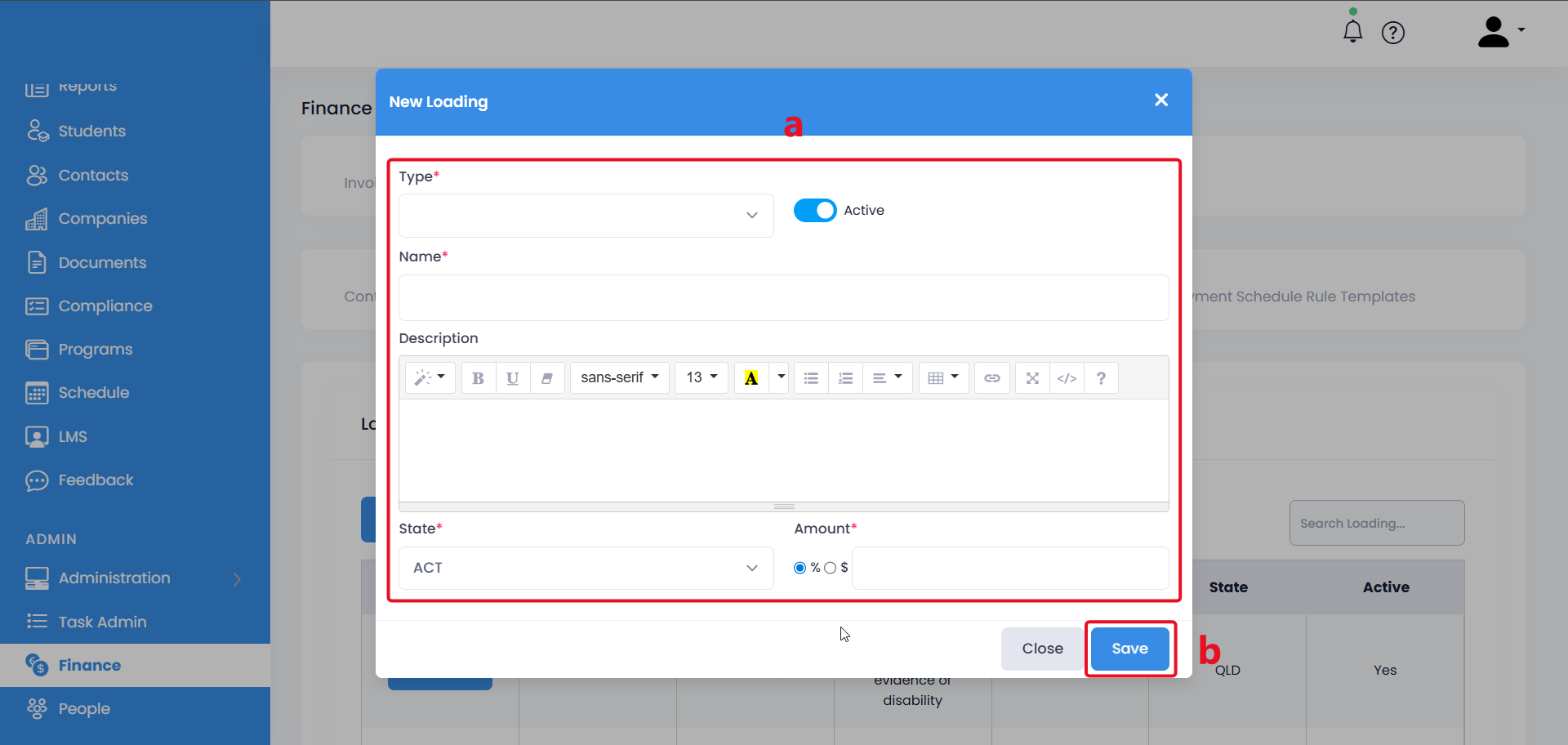
The steps above outline how to create needs or location loadings for contracts (ACT).
Congratulations on completing this tutorial. We hope this has been helpful to you and your organisation. For any questions or concerns regarding this function, please reach out to the contact support via email.